
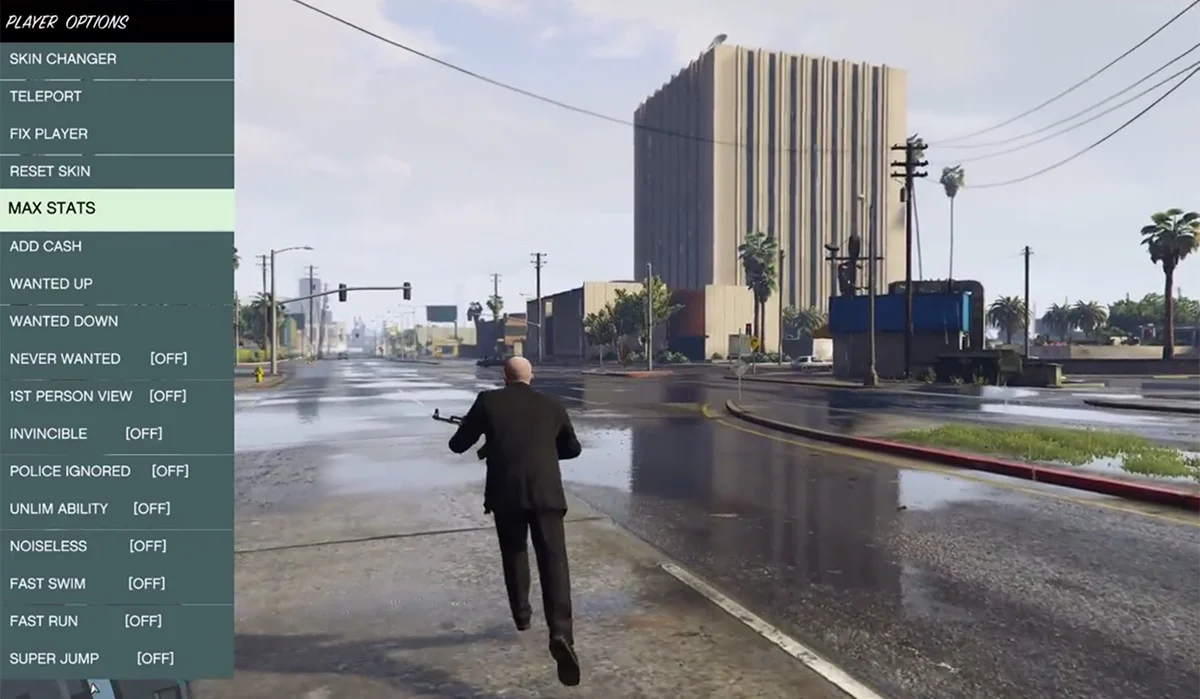
ScriptHookVDotNet (often abbreviated as SHVDN) is an essential tool for developers and modders working on Grand Theft Auto V (GTA V). It is a .NET-based library that allows users to create custom scripts using any .NET programming language such as C#, VB.NET, or F#. For anyone interested in modding GTA V, understanding how to install, use, and troubleshoot ScriptHookVDotNet is crucial. This guide will provide an in-depth look at what SHVDN is, how it works, and how to optimize your experience with it.
What Is ScriptHookVDotNet?
ScriptHookVDotNet is a bridge between the modding community and GTA V. While ScriptHookV allows you to run scripts written in native code (like C++), ScriptHookVDotNet extends this capability to .NET languages, allowing you to write mods with managed code that interact with the game.
Why Use ScriptHookVDotNet?
- Compatibility with .NET Languages: Write mods in C#, VB.NET, or F#—a big plus for developers familiar with these languages.
- Simplified Scripting: SHVDN abstracts much of the game’s low-level API, making it easier to create mods.
- Active Community: An active and supportive community offers continuous improvements, examples, and documentation.
- Flexibility: You can create complex mods like AI scripts, vehicle enhancements, and even custom game modes.
Installing ScriptHookVDotNet
Prerequisites
Before you can start using ScriptHookVDotNet, you need a few components in place:
- Grand Theft Auto V: The latest version of the game.
- ScriptHookV: The core ScriptHookV mod by Alexander Blade.
- ScriptHookVDotNet: The library that allows you to run scripts written in .NET languages.
- .NET Framework: Ensure that you have .NET Framework 4.8 or higher installed.
- Visual Studio (Optional): Useful for writing and debugging custom mods.
Installation Steps
- Download ScriptHookV:
- Visit the official ScriptHookV page and download the latest version.
- Extract the files and copy
ScriptHookV.dll,dinput8.dll, andNativeTrainer.asito your GTA V installation folder (GTAV root folder).
- Download ScriptHookVDotNet:
- Go to the official GitHub repository and download the latest version of SHVDN.
- Copy all the
.dllfiles (likeScriptHookVDotNet.asi,ScriptHookVDotNet2.dll, andScriptHookVDotNet3.dll) to the same GTA V installation folder.
- Verify Installation:
- Launch GTA V and check if ScriptHookVDotNet is working by pressing the Insert key on your keyboard (which reloads all loaded scripts).
Writing Your First Script with ScriptHookVDotNet
Now that you have SHVDN installed, let’s write a simple script that changes the player’s speed in GTA V.
Setting Up the Environment
- Create a New Script:
- Open Visual Studio (or any other .NET development environment) and create a new Class Library project in C#.
- Set the target framework to .NET Framework 4.8.
- Add References:
- Reference
ScriptHookVDotNet2.dllandScriptHookVDotNet3.dllby adding them to your project.
- Reference
- Write the Script:
using GTA;

using System.Windows.Forms;{
public SpeedBoost()
{
Tick += OnTick;
}
{
if (Game.Player.Character != null && Game.IsKeyPressed(Keys.L))
{
Game.Player.Character.ApplyForce(Game.Player.Character.ForwardVector * 10.0f);
}
}
}
- Compile the Script:
- Build the project, and you will get a
.dllfile. - Copy this
.dllfile into thescriptsfolder in your GTA V directory.
- Build the project, and you will get a
- Test the Script:
- Launch GTA V, and while in-game, press the L key to activate the speed boost.
Features of ScriptHookVDotNet
1. Event-Driven Model
ScriptHookVDotNet uses an event-driven model to make scripting easier. It offers multiple events like Tick, KeyDown, and KeyUp that allow you to execute code based on game or player actions.
- Tick Event: Triggered every frame, used for continuous scripts.
- KeyDown Event: Detects key presses for specific actions.
- OnPlayerDeath Event: Executes custom actions when the player dies.
2. Modding Game World
With SHVDN, you can manipulate almost every aspect of GTA V’s game world, including:
- Vehicles: Spawn, customize, or modify vehicles.
- Weapons: Change weapon behavior, spawn custom weapons, or add special effects.
- NPCs: Control pedestrian behavior or create custom AI.
- Environment: Change weather, time, or add new map elements.
3. Extensive API Documentation
ScriptHookVDotNet provides a comprehensive API that simplifies mod creation:
- Game Class: Access to global game properties and methods like changing the weather or time.
- Player Class: Control player-specific settings such as health, money, or even invincibility.
- Entity Class: Manipulate any in-game object or character.
Common Issues and Troubleshooting
Issue 1: Script Not Running
- Solution: Ensure that the
.dllfile is in thescriptsfolder. Verify that the game is updated and SHVDN is installed correctly.
Issue 2: Game Crashes After Installing ScriptHookVDotNet
- Solution: Check for compatibility between the GTA V version and the installed ScriptHookVDotNet version. Update if necessary.
Issue 3: Scripts Not Reloading
- Solution: Press the Insert key in-game to reload all scripts. If it still doesn’t work, check the script for syntax errors.
Best Practices for ScriptHookVDotNet
1. Keep Your Game and SHVDN Updated
Always use the latest version of both GTA V and ScriptHookVDotNet to avoid compatibility issues and bugs.
2. Optimize Your Scripts
Use efficient coding practices, especially in the Tick event, to avoid performance degradation. Run essential code only when necessary.
3. Backup Your Mods
Before installing new scripts or updates, backup your current mods. It’s easy to encounter crashes or issues with conflicting mods.
4. Use Debugging Techniques
To debug your scripts, use GTA.UI.Notify to print messages on the screen or Visual Studio’s debug mode to catch errors.
Frequently Asked Questions (FAQs)
1. What is ScriptHookV Dot Net used for?
ScriptHookV Dot Net is a .NET-based modding tool for GTA V, allowing you to write custom scripts using languages like C# and VB.NET.
2. Do I need ScriptHookV to use ScriptHookV Dot Net?
Yes, ScriptHookV is required as it enables the core modding functionality in GTA V, while ScriptHookV Dot Net builds on top of that to allow for .NET scripting.
3. How do I install ScriptHookV Dot Net?
You need to download and install both ScriptHookV and ScriptHookV Dot Net, placing the required .dll files in your GTA V installation folder.
4. Can I write mods in languages other than C#?
Yes, you can write mods in any .NET-supported language such as VB.NET or F#.
5. Is ScriptHookV Dot Net safe to use?
Yes, but only for single-player mode. Using mods online can result in a ban from GTA V Online.
6. What is the ‘Insert’ key used for?
The Insert key is used to reload all scripts while the game is running, which is helpful for testing modifications.
7. Why does my game crash after installing ScriptHookV Dot Net?
This could happen due to version incompatibility between the game and ScriptHookVDot Net. Make sure both are up to date.
8. Where can I find more mods made with ScriptHookV Dot Net?
You can find SHVDN mods on sites like GTA5-Mods and GitHub repositories shared by the modding community.
Conclusion
ScriptHookV Dot Net is an incredibly powerful tool for developers and modders looking to extend the functionality of GTA V. With a basic understanding of .NET programming and the SHVDN library, you can create custom mods that enrich the GTA V experience. Whether you’re enhancing gameplay, adding new features, or building something entirely unique, SHVDN offers a flexible, user-friendly framework that anyone can use.
Always remember to follow best practices, keep your software up to date, and enjoy the creative freedom that modding offers

